OfferBasic Plus: 3 vCores and 6 GB of RAM for €42.70 €48.80 a monthSee plans →

Choose a plan

MetaTrader 4 and 5 on a Mac, without emulators

MetaTrader was written for Windows. There are several ways to use it on a Mac, each with its limits. This guide compares them, with sources, and shows the simplest route if you run Expert Advisors: a real Windows desktop that never switches off, opened from your Mac with Microsoft’s free app.

  • Apple silicon and Intel Macs
  • Works from iPhone and iPad too
  • Microsoft’s app is free
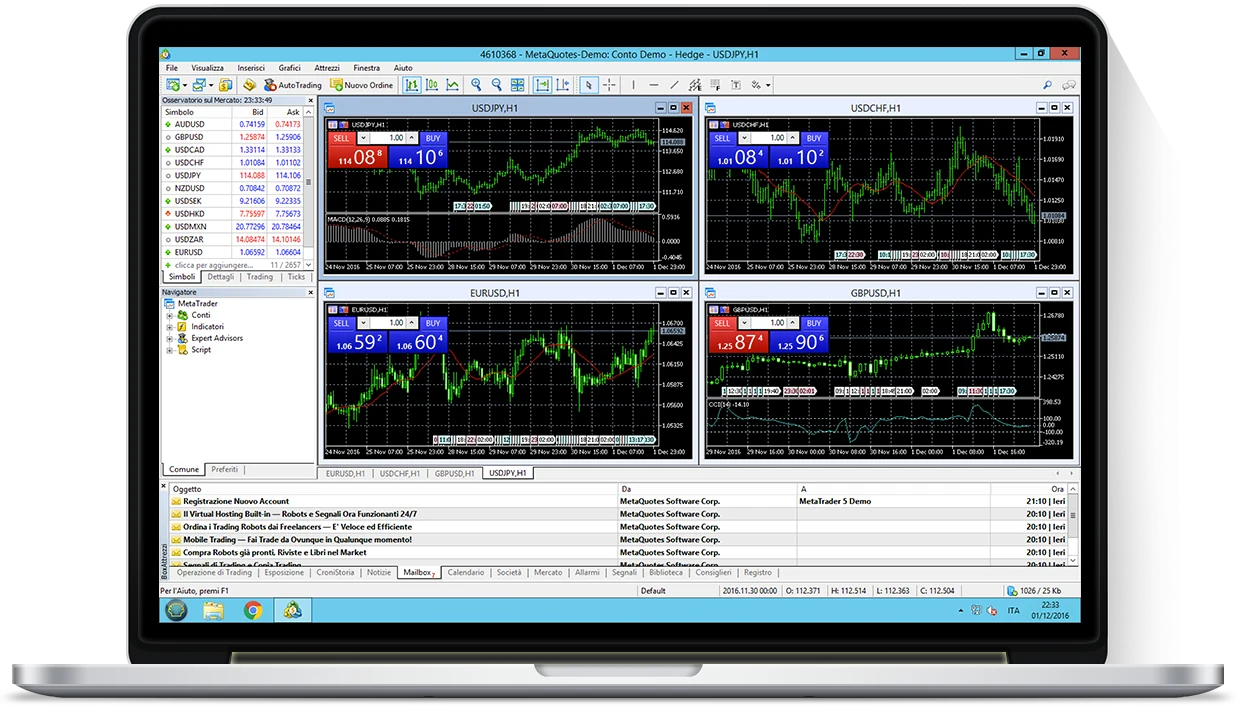
MetaTrader 5 open on an Apple laptop through the Remote Desktop of a Windows VPS
Your Macshows the Windows desktop
MT4 and MT5run on the VPS, 24/7

The short answer

Can MetaTrader run on a Mac? Yes, in four ways.

There is no version of MetaTrader written for macOS. There are four ways to use it anyway, and the right one depends on what you need it to do.

Four ways to use MetaTrader 4 and 5 on a Mac, compared
What you needOfficial macOS installerWindows in a virtual machineWeb terminal and iPhone appWindows VPS
Expert Advisors running with the Mac closed or offNo: Stops with the MacNo: Stops with the MacNo: No Expert AdvisorsYes, around the clock
The standard Windows MetaTrader, with every featureNo: Runs inside WineYesNo: Cut-down versionYes, on a real Windows
Unaffected by macOS updatesNoMostlyYesYes: the platform is not on the Mac
No load on the Mac’s RAM, battery or fansNoNo: Two operating systems at onceYesThe Mac only runs one window
What you have to buyNothing: it is freeVirtualisation software and a Windows licenceNothing: it is freeThe VPS; Microsoft’s app is free
Best forManual trading with the Mac onPeople who already run Windows on their MacChecking charts and placing manual ordersExpert Advisors, trade copiers, several terminals

The official installer

How the official Mac version works, and where it stops.

MetaQuotes does publish an installer for the Mac, but it is not a program written for macOS. As its own documentation explains, the installer downloads and configures Wine, a compatibility layer for Windows software, and then installs MetaTrader inside it.

It needs macOS Catalina 10.15.7 or later for MT5 and macOS Big Sur 11 or later for MT4, and it supports every Apple processor. On Apple silicon the Windows code runs through Rosetta 2, Apple’s translator for Intel software.

For manual trading it works, and for many people it is enough. The limits come from having two translation layers between MetaTrader and the Mac, either of which can break with an update.

Where Mac users get stuck

  • After an update, it will not startThe same pattern keeps appearing on the MQL5 and Apple forums: a macOS or MetaTrader update, then a platform that freezes on launch or closes by itself until a fixed build arrives.
  • Rosetta 2 has an end dateApple says Rosetta remains available up to macOS 27; from macOS 28 it will be kept only for certain older games. MetaQuotes has not announced a native Apple silicon version so far. What happens next is simply not known yet.
  • When the Mac sleeps, so does the EAA program running on the Mac stops when the Mac sleeps, is closed or restarts for an update. For an Expert Advisor that means it stops watching the market.

The simplest route

MT4 and MT5 on a Windows VPS, used from your Mac.

Instead of bending MetaTrader to fit the Mac, leave it where it works best: on a real Windows machine in a data centre, on around the clock. The Mac becomes the screen and the keyboard.

  • A real Windows, not a translation

    You install your broker’s MetaTrader with the normal Windows installer. EAs, indicators, DLLs and Market tools behave as they do on any PC.

  • The Mac sleeps, the EA does not

    The VPS is a separate machine that stays on. Close the laptop, switch it off or update it: the platform keeps working.

  • macOS updates cannot touch it

    Nothing depends on Wine or on Rosetta 2. The Mac only needs a Microsoft app that shows the VPS screen.

  • No licences to buy

    Windows is already on the VPS. You need neither virtualisation software nor a Windows licence for the Mac.

  • Several terminals, several brokers

    Keep a number of MetaTraders open on the same VPS, a trade copier included: up to eight on the Standard plan.

  • From iPhone and iPad too

    The same app exists for iPhone and iPad: open the same desktop, with the same MetaTrader, wherever you are.

The guide

The VPS route, step by step, with Windows App.

From ordering to your first open chart takes a few minutes. If you can use a Mac and have seen Windows once, you can do all of it.

  1. Order a Forex VPS

    For one MetaTrader with a simple EA the Cheap plan is enough; with several terminals or heavy EAs, start from Basic. After activation you receive an email with the VPS address, a username and a password.

  2. Install Windows App on your Mac

    This is Microsoft’s free Remote Desktop app; until 2024 it was called Microsoft Remote Desktop. It is on the Mac App Store, needs macOS 14 or later, and you do not need a Microsoft account to connect to a VPS.

  3. Add your VPS

    Open Windows App, choose Add PC and paste the VPS address into the PC name field. The first time you connect, enter the username and password from the email. Save them and next time a double-click is all it takes.

  4. Install your broker’s MetaTrader

    On the Windows desktop open the browser, go to your broker’s site and download MT4 or MT5 in the Windows version. Install it and log in to your account as you would on a PC.

  5. Bring over your EAs and templates

    Copy the files on the Mac and paste them into the VPS window: the clipboard is shared. In MetaTrader choose File → Open Data Folder and put them under MQL4 or MQL5, in the Experts and Indicators folders.

  6. Close the window, not the platform

    When you have finished, close the Windows App window without signing out of Windows. MetaTrader stays open on the VPS and the EA keeps working. You can close the Mac.

A note on the keyboard. Inside the VPS the shortcuts are the Windows ones: copy is Ctrl+C, not +C. In the Windows App settings you can also choose the resolution and run the VPS full screen or across several displays.

In all honesty

When you do not need a VPS.

If you trade by hand for a few hours a day, with the Mac on in front of you and no Expert Advisors, the official macOS installer, your broker’s web terminal or the iPhone and iPad apps will do, and they cost nothing.

A VPS becomes the right choice when something has to stay on while you are away: an Expert Advisor, a trailing stop, a trade copier, several terminals at once. Or when you are tired of finding out after an update that the platform no longer starts.

Not just MetaTrader

NinjaTrader Desktop and Quantower are Windows-only as well. On a VPS they run on a real Windows, and you open them from your Mac in exactly the same way.

NinjaTrader VPS

Which plan

The VPS for your MetaTrader.

These are the plans of our Forex VPS: Windows Server 2022, at least 4 GB of RAM, MT4 and MT5 that restart on their own after a reboot. All prices are in euro and include VAT.

Forex VPS Cheap

Right for one MT4 or MT5 terminal running a simple EA. Easy to upgrade.

€18.30/month

VAT included

vCore
1
RAM
4 GB
SSD
40 GB
  • MetaTrader 4/5 with auto-start
  • Any EA, any broker
  • Not included: cTrader and NinjaTrader
  • Not included: Daily backup
  • Not included: 24/7 support
Order now

Secure payment

Forex VPS Basic

For traders who run a few MetaTrader or cTrader terminals.

€29.89/month

VAT included

vCore
23.4 GHz+
RAM
4 GB
SSD
40 GB
  • MetaTrader 4/5 with auto-start
  • cTrader and NinjaTrader supported
  • Any EA, any broker
  • Daily backup included
  • 24/7 support
Order now

Secure payment

Forex VPS Standard

Sized for 5–8 MetaTrader terminals at once.

€59.78/month

VAT included

vCore
43.4 GHz+
RAM
8 GB
SSD
80 GB
  • MetaTrader 4/5 with auto-start
  • cTrader and NinjaTrader supported
  • Any EA, any broker
  • Daily backup included
  • 24/7 support
Order now

Secure payment

  • Every plan includes:
  • Windows Server 2022
  • Unmetered bandwidth
  • Remote Desktop access
  • Web control panel
  • Anti-DDoS protection

Pay by PayPal or bank transfer · billed monthly, cancel any time · larger configurations are available in the client area.

FAQ

MetaTrader on a Mac: frequently asked questions.

A question before you order? Write to us: a person will reply.

Contact support
Can MetaTrader 4 and 5 run on a Mac?

Yes, in four ways: MetaQuotes’ official macOS installer, Windows in a virtual machine, the web terminal and mobile apps, or a Windows VPS you open from the Mac. Which one makes sense depends on whether you trade by hand or run Expert Advisors.

Is there a native macOS version of MetaTrader?

No. MetaQuotes’ official installer for macOS sets up Wine, a compatibility layer for Windows software, and runs MetaTrader inside it. There is no version written for macOS at the moment.

Does MetaTrader work on Apple silicon, from M1 onwards?

Yes: the official installer supports every Apple processor, and the Windows code runs through Rosetta 2. With a VPS the question does not arise. MetaTrader runs on the Windows server, not on the Mac, so the chip in your Mac makes no difference.

What happens to MetaTrader on a Mac when Rosetta 2 goes away?

Apple says Rosetta remains available up to macOS 27 and that from macOS 28 it will be kept only for certain older games. MetaQuotes has not announced a native Apple silicon version so far, so what it will ship is not known yet. A VPS does not depend on Rosetta at all.

Will my Expert Advisors keep running when my Mac is asleep or closed?

Only on a VPS. A MetaTrader installed on the Mac stops when the Mac sleeps or restarts for an update, and the EA stops with it. On a VPS the platform stays open on a separate machine, so you can close the Mac whenever you like.

Which app do I need on the Mac, and is it free?

Windows App, Microsoft’s free app, which until 2024 was called Microsoft Remote Desktop. It is on the Mac App Store, needs macOS 14 or later, and does not ask for a Microsoft account when you connect to a VPS. There are versions for iPhone and iPad too.

Do I need to buy Windows or Parallels?

No. Windows Server 2022 is already installed on the VPS. There is nothing to buy or install on the Mac apart from Microsoft’s free app.

When is the free Mac version enough, and when is a VPS the better choice?

The free version is fine for manual trading with the Mac switched on. A VPS is the better choice as soon as something must keep running without you: Expert Advisors, trailing stops, trade copiers or several terminals. It also spares you the wait for a fixed build when a macOS update breaks the Mac version.

Your Mac as the screen, a real Windows as the engine.

Choose your VPS

From €18.30 a month · PayPal or bank transfer · cancel any time

Trading VPS from €18.30/month Choose a plan